Neteller can be a convenient way to fund an online casino account‚ provided it is available to you and listed as a payment option at the cashier. This guide explains how to approach a Spinmillion Casino deposit with Neteller‚ what to check before sending money‚ and how to keep the process straightforward. Payment methods‚ limits‚ and processing times can change‚ so use the information displayed in your own account as the final reference.
What to check before depositing
Before choosing Neteller‚ confirm that Spinmillion accepts it for UK accounts. Payment options may differ by country‚ account status‚ or currency‚ and a method shown in a general guide may not appear in your cashier. Sign in‚ open the deposit section‚ and review the methods available to you before transferring funds to your Neteller wallet.
Also check the casino’s current terms and licensing information. UK players should make sure a site is authorised to serve customers in Great Britain by the UK Gambling Commission. Do not rely on a brand name‚ search result‚ or advertising claim alone: verify the operator and domain against the regulator’s public register. If you cannot confirm that the site is permitted to serve you‚ do not deposit.
- Account details: Your casino and Neteller account information should match where required.
- Currency: Check whether the casino account and wallet use the same currency to avoid conversion costs.
- Limits: Review minimum and maximum deposits‚ as well as any payment-provider limits.
- Fees: Check Neteller’s own terms and your bank or card provider’s charges.
- Verification: Be prepared to confirm your identity or payment method if requested.
How to make a Neteller deposit
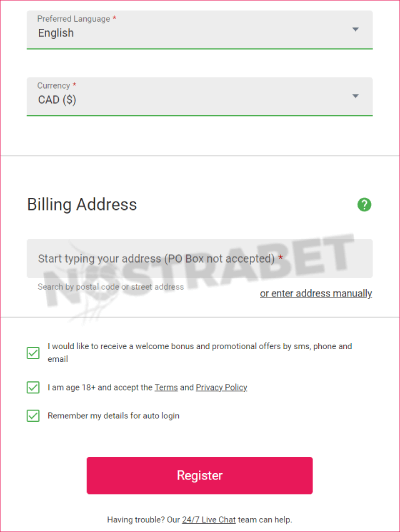
The exact layout may change‚ but the usual process is simple. First‚ create or sign in to your Neteller account and make sure it has sufficient funds. Use only an account that belongs to you. Then sign in to Spinmillion‚ open the cashier or banking page‚ and select “Deposit”. If Neteller appears among the available options‚ choose it and enter an amount within the displayed limits.
- Review the amount and currency before continuing.
- Follow the secure instructions to open or authorise the Neteller payment.
- Check the recipient and transaction details before approving.
- Return to the casino and wait for the payment status to update.
- Keep the confirmation or transaction reference until the funds appear in your balance.
A successful authorisation does not always mean the casino balance updates instantly. Give the payment time to process‚ and avoid repeating the transaction while its status is unclear. Duplicate attempts can create multiple pending payments. If the amount has left your wallet but has not appeared in your casino account after a reasonable period‚ contact the casino through its official support channel and provide the transaction reference. Never send passwords‚ one-time codes‚ or full payment credentials in a support message.
Deposit conditions and bonus terms
A deposit and a bonus are separate matters. A promotion may exclude Neteller deposits‚ require a minimum qualifying amount‚ or impose wagering conditions. Before opting in‚ read the complete offer terms‚ including eligible games‚ contribution rates‚ maximum bet rules‚ expiry dates‚ and withdrawal restrictions. If the terms are unclear‚ ask support for an explanation before depositing rather than assuming the bonus will apply.
Bonuses can make a balance appear larger while also adding conditions to withdrawals. Consider whether you would prefer to play with cash only. If you accept an offer‚ keep a copy of its terms as they appeared when you joined‚ and track your progress in the account. Do not increase your deposit simply to qualify for a promotion.
Security and responsible play
Use a unique password for each account and enable any additional security features offered by Neteller or the casino. Access the casino using its verified website address rather than links in unsolicited messages. A legitimate support agent should not need your password or security code to investigate a transaction.
Set a budget before playing and treat casino deposits as entertainment spending‚ not as a way to make income. Decide on a time limit as well as a money limit‚ and stop when either is reached. UK customers can use safer-gambling tools such as deposit limits‚ time-outs‚ and self-exclusion where available. If gambling is causing financial or personal harm‚ do not deposit; seek support from a recognised UK service such as the National Gambling Helpline‚ operated by GamCare.
Neteller deposit checklist
| Check | Why it matters |
|---|---|
| Regulatory status | Confirms whether the operator is authorised to serve UK customers. |
| Payment availability | Neteller may not be offered to every account or in every location. |
| Deposit limits | Helps you stay within both casino and wallet restrictions. |
| Currency and fees | Identifies possible conversion charges or provider costs. |
| Bonus conditions | Shows whether the deposit qualifies and what rules apply afterward. |
Using the casino after your deposit
Once your balance updates‚ take a moment to check the transaction history and confirm that the amount is correct. If you plan to play casino games‚ read their rules and pay attention to the stake shown before each round. Game outcomes are uncertain‚ and no system or betting pattern can guarantee a profit. Set a maximum session spend and do not chase losses by raising stakes or making another deposit.
Some players search for spinmillion casino login when returning to their account. Use the official‚ verified site and avoid lookalike pages or links from unsolicited emails. If you cannot sign in‚ use the site’s account-recovery process or contact verified support. Never share login details with another person‚ even if they claim they can help recover a balance or secure a win.
Frequently asked questions
Is Neteller always available for Spinmillion Casino deposits?
No. Availability can depend on your location‚ account‚ and the casino’s current payment arrangements. Check the cashier after signing in; it is the most reliable source for your account.
How long does a Neteller deposit take?
Many e-wallet payments are designed to process quickly‚ but delays can occur. The displayed payment status and the casino’s terms should guide you. If money is debited but not credited‚ wait for the transaction to settle and contact official support with the reference number.
Can I deposit using someone else’s Neteller account?
You should use an account in your own name. Third-party payments may be rejected‚ delayed‚ or subject to additional checks‚ and they can conflict with casino terms.
What if Neteller is missing from the cashier?
Do not try to route a payment through an unrelated method or send funds to an address supplied by an unofficial source. Ask the casino whether Neteller is currently supported for your account and choose only a method shown in the verified cashier.
Will a Neteller deposit qualify for a welcome offer?
Not necessarily. Promotions can exclude particular payment methods or apply additional conditions. Read the offer terms before depositing and contact support if the payment-method rules are ambiguous.
Final thoughts
Neteller may offer a practical deposit route when it is listed in the Spinmillion cashier and your accounts meet the stated requirements. The safest approach is to verify the operator’s UK status‚ review limits and fees‚ use an account in your own name‚ and confirm the transaction before approving it. Read bonus rules carefully‚ keep payment records‚ and use responsible-gambling controls. If anything about the site‚ payment request‚ or support interaction seems unusual‚ pause and verify it before sending money.